Plane Crash Physics Physics X Plane Spawner
Community spawn/unlock tools for Plane crash physics X—what they do, how players run them, and what breaks after patches.
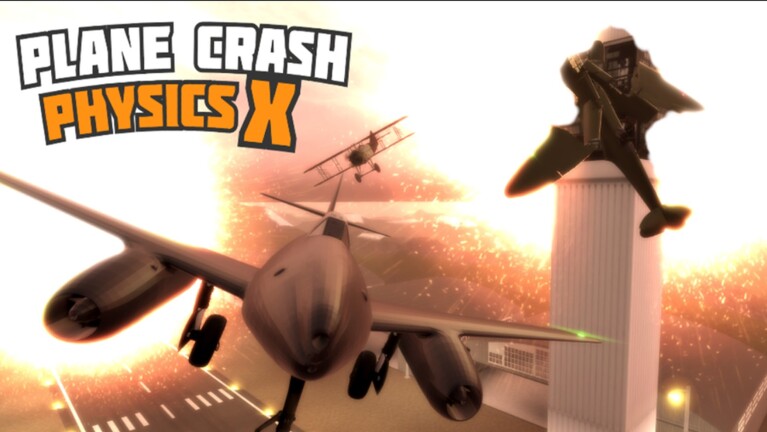
Community plane spawner scripts are the most requested tool around Plane crash physics X. The sequel ships lots of aircraft, maps, and an airport system; spawners short-circuit unlock gates by firing remotes that place any plane near your character or mark frames as owned for the session. This page documents the common pattern—including a widely shared loadstring—without pretending the tools are official or risk-free.
For the broader landscape, see the Scripts Hub. For aircraft context, skim the Aircraft Hub and Aircraft Roster.
What the spawner usually offers
Modern GUIs wrapped in Rayfield (or similar libraries) typically expose:
- Spawn any plane — dropdown or search list that fires a remote with an aircraft ID.
- Unlock / own all — flips client or server flags so menus show every frame.
- Teleport / bring plane — moves you to a runway or pulls a spawned craft closer.
- Quick crash helpers — optional buttons that cut thrust or pitch you into the ground.
- Re-exec safety — some scripts destroy old GUIs before redrawing tabs.
Feature names vary by author. If a GUI promises “infinite Robux” or account password tools, close it—that is malware cosplay, not a plane remote.
Example loadstring
A loadstring frequently circulated for Physics X looks like this:
loadstring(game:HttpGet('https://pastebin.com/raw/JHqCp3mj'))();Pastebins can be edited by their owners. Before you execute:
- Open the raw URL in a browser and skim for unexpected
HttpGetchains or webhook calls. - Confirm you are inside Plane crash physics X, not the 2022 original.
- Prefer an alt account while testing unknown pastes.
Other mirrors appear on community script boards. We do not hard-depend on a single host remaining online forever—when this paste dies, authors usually post a replacement with the same Rayfield layout.
How to use a plane spawner
- Install a Roblox script executor that still works on your client build.
- Join Physics X and wait until airports and plane menus finish replicating.
- Attach the executor, paste the loadstring, and run it once.
- When the GUI opens, pick an airliner or fighter from the spawn tab.
- Sit in the pilot seat, climb out of the airport pattern, and fly normally.
- Crash with technique from How to Crash so the unlocked frame still looks intentional on camera.
If nothing appears, rejoin and re-run after a full load. Double-executing without cleanup can stack invisible frames and tank FPS on mid-range PCs.
Risks and practical limits
- Moderation risk: Executors violate Roblox rules. Bans happen. Alts exist for a reason.
- Server kicks: Anti-cheat or remote rate limits may eject you mid-spawn spam.
- Patch fragility: Studio updates that rename remotes break spawners overnight—check Updates and Series History.
- Performance: Spawning dozens of airliners in a 15-player X server can lag everyone, including you.
- Key systems: Avoid scripts that force Discord joins or shady key sites before the GUI opens.
This page will not walk you through bypassing bans or attacking servers. It only explains what community players already share for sandbox unlocking.
Playing well after you spawn
Unlocked planes do not auto-teach flight. Use Controls and How to Fly so heavy airliners do not stall into the grass thirty studs from the terminal. Rank spectacle on Best Crash Planes, and read the dedicated Physics X guide for airport patterns that make wrecks cinematic.
If you only wanted freebies, you may not need a spawner at all—check Codes and How to Redeem first. Codes are rarer, but they do not require an injector.
Troubleshooting checklist
- Wrong game → switch to Physics X.
- GUI opens empty → remotes changed; wait for a script update.
- Spawn fails near other players → move to an open taxiway, then retry.
- Character softlocks in a seat → reset character, do not rejoin yet.
- Executor errors on
HttpGet→ paste blocked or offline; try a fresh mirror from a trusted thread.
Community scripts are optional spice on top of a free crash sandbox. Spawn thoughtfully, crash creatively, and keep an eye on studio patches that rewrite the remotes underneath your favorite GUI.
Frequently Asked Questions
Quick answers for pilots, crash testers, and new players.
Does the plane spawner work on the original Plane Crash Physics?
Most circulating GUIs target Physics X remotes. Expect failures on the original or Physics 2 unless the author explicitly supports them.
Is the pastebin loadstring always safe?
No pastebin is guaranteed forever. Preview the raw code, use an alt, and skip anything that asks for cookies or payments.
Why did my spawner stop working after an update?
Remote names or airport systems likely changed. Watch Updates and wait for script authors to ship a new loadstring.
Can I get banned for using a plane spawner?
Yes. Executors break Roblox rules. Account loss is a real outcome—treat it as a known risk.
Where should I learn to fly the planes I unlock?
Use How to Fly, How to Crash, and the Aircraft Roster.