How to Redeem Plane Crash Physics Codes
Step-by-step redeem flow for the rare moments a promo code actually drops.
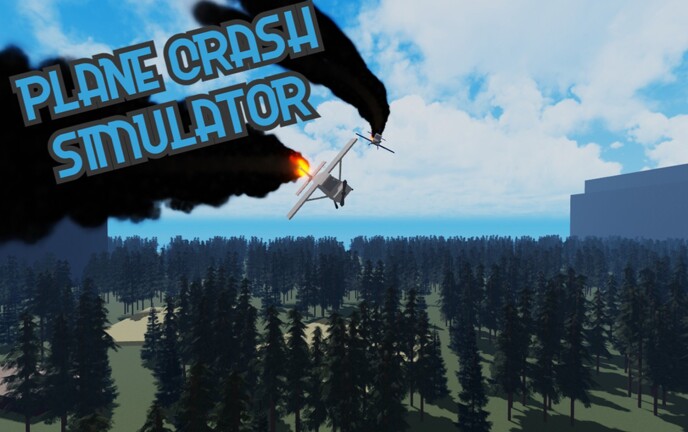
Promo codes for Plane Crash Physics are uncommon, but when INGameWorks Studio or DudeWhoDoesJob shout one out you usually have a short window before it expires or hits a redeem cap. This guide walks through the practical redeem flow so you are not hunting buttons while the code dies in chat.
For live status—almost always “none verified”—keep the Codes Hub open. This page assumes a code string already exists.
Before you redeem
- Confirm the place. Codes announced on Physics X may only work inside Physics X. Launch the same experience named in the shoutout: original, Physics 2, or Physics X.
- Copy the code. Prefer copy-paste over typing. Codes are case-sensitive and often use odd capitalization.
- Finish loading. Wait until aircraft menus and HUD widgets appear. Redeeming during the join screen sometimes fails silently.
- Stay online. Some rewards grant session items that need an active character.
Step-by-step redeem flow
1. Launch the correct Roblox experience
Open Roblox, join the announced place, and let the map stream in. If you bounced between sequels earlier, double-check the title at the top of the Roblox window.
2. Find the Codes control
Studios move UI between updates, but look for one of these patterns:
- A Codes button on the left or right HUD.
- A Shop / Store panel with a redeem tab.
- A Settings / gear menu that includes an “Enter code” field.
- A gift or ticket icon near other free-reward buttons.
If you cannot find any of those, the place may not ship a code UI yet—return to the Codes Hub rather than installing random Scripts that claim to “unlock codes.”
3. Paste and submit
- Tap or click the text box.
- Paste the code exactly.
- Press Redeem, Submit, or the equivalent confirm button.
- Watch for a success toast, reward popup, or error banner.
Do not add spaces before or after the string. Do not wrap the code in quotes.
4. Verify the reward
Check inventory, currency counters, or temporary boost indicators. If nothing changed, leave the server and rejoin once before assuming the code is dead—replication hiccups happen on busy 40-player original servers.
Troubleshooting
| Symptom | Likely cause | What to try |
|---|---|---|
| “Invalid code” | Expired, mistyped, or wrong place | Re-copy from source; switch sequel; check Codes Hub |
| Button does nothing | UI still loading | Wait, rejoin, disable overlapping screen GUIs |
| Already redeemed | Per-account limit | Stop retrying; limits rarely reset |
| No Codes button | Place has no active redeem UI | Watch group shouts; do not force with executors |
| Reward missing | Lag or wrong currency HUD | Rejoin; check shop currency labels |
Where new codes appear
- INGameWorks Studio group wall and shouts (group 10663434).
- Description edits on the original, Physics 2, or Physics X pages.
- Occasional creator video descriptions—historical shoutouts like the old
sketchmention should be treated as expired unless re-verified.
Pair this page with Getting Started if you are still learning which sequel you joined, and with Updates after patches that rearrange HUD buttons.
Codes are not unlock scripts
If your goal is spawning every airliner on Physics X, that is a script workflow, not a code workflow. Read the Scripts Hub and Plane Spawner pages for loadstrings, Rayfield-style GUIs, and account-risk notes. Redeem boxes will never replace those tools, and executors will never replace official codes.
After you redeem
Spend the freebie however you like, then get back to the fantasy: climb with tips from How to Fly, stage wrecks with How to Crash, and pick airframes from the Aircraft Roster or Best Crash Planes list. Codes are a bonus layer on top of an already free sandbox.
Keep this redeem checklist bookmarked. The next time a shoutout hits, you can paste, claim, and be airborne before the rest of the server finishes arguing in chat.
Frequently Asked Questions
Quick answers for pilots, crash testers, and new players.
Why is there no Codes button in my game?
Some places omit the redeem UI until a promo is active. Confirm you are on the announced sequel and check the Codes Hub for status.
Are codes case-sensitive?
Yes. Always paste the string exactly as published.
Can I redeem the same code twice?
Usually no. Most Roblox experiences allow one redeem per account per code.
Does redeeming require Robux?
No. Promo codes are free. Any Robux prompt is a different purchase flow—cancel it.
What if the code worked for my friend but not me?
They may be on a different sequel, or the code hit a global claim limit. Re-check the source and the Codes Hub.