Getting Started in Plane Crash Physics
Pick the right place in the series, learn the loop, and stage your first readable wreck.
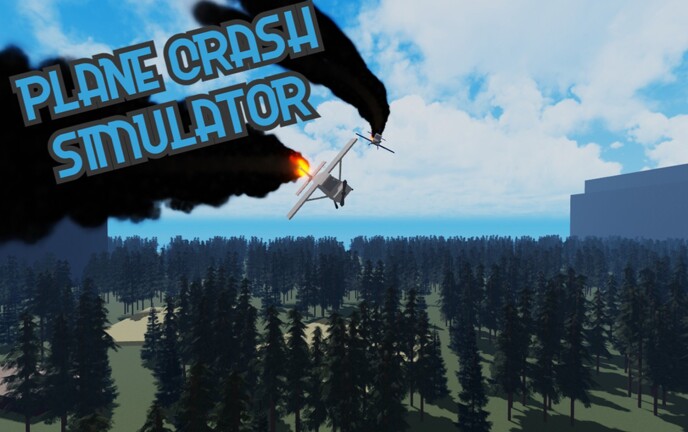
Plane Crash Physics is a Roblox chaotic plane flying and crash physics sandbox from DudeWhoDoesJob and INGameWorks Studio. You spawn an aircraft, climb into the sky, then send the airframe into a breakup that shows off ragdoll passengers and snapping wings. This guide gets you from the Roblox home page to a confident first session without wasting time on the wrong sequel.
Which game should you open?
The brand covers three linked experiences:
- Plane crash physics (original, May 2022) — the classic chaotic flyer with the big visit count and the Sketch-era fame. Best if you want the simple spawn-fly-crash loop.
- Plane crash physics 2 — semi-realistic follow-up with more vehicle variety (planes, helicopters, blimps, even cars) and clearer lighting.
- Plane crash physics X — the studio’s “new and better” version with more planes, maps, airports, and upgraded ragdoll crash work. Prefer this if you want modern systems.
New players who care about spectacle should start on Physics X, then dip into the original for nostalgia. If a friend sends the original link, that is still a valid first flight—just know X has the newer airport and crash tooling. Deep X tips live on the Plane Crash Physics X guide. Series context sits in Series History.
First five minutes
- Launch Roblox and open your chosen place from the official game page.
- Wait for the map and aircraft menu to finish loading—mobile players should give an extra few seconds on first join.
- Spawn a mid-size airliner or simple prop plane. Save fighters and oddballs for later once you understand pitch and throttle.
- Take off gently, climb to a readable altitude, then practice a shallow dive toward open ground or water.
- Watch how wings, engines, and the fuselage separate. That breakup readability is the whole fantasy.
After that warm-up, open the Controls page if your device layout feels wrong, then graduate to How to Fly and How to Crash.
Core loop
Every session repeats the same satisfying loop: spawn → configure → fly → fail systems or aim the nose → crash → admire wreckage → respawn. There is no heavy quest log. Progression is skill, camera sense, and picking the right airframe from the Aircraft Roster and Tier List.
Optional systems you will meet later:
- Ragdoll crash reactions when the cabin takes a hard hit.
- Airport and map choices on Physics X for staged approaches.
- Community scripts such as plane spawners if you want faster unlock-style access—see the Scripts Hub and understand the risks first.
Goals for session one
Do not chase every plane on day one. Aim for three concrete goals:
- Complete one clean takeoff and one intentional crash you can describe afterward.
- Learn where the throttle and camera controls live on your device.
- Bookmark this wiki’s Codes page so you are ready if a group shout drops a promo.
When those three are done, compare airframes on Best Crash Planes and plan a second session around one S-tier spectacle ship.
Common beginner mistakes
- Spawning the flashiest jet immediately. High thrust without pitch discipline ends in an instant spin that teaches nothing.
- Crashing into fog or night without lights. You will not see the breakup. Prefer clear weather and daytime maps when learning.
- Ignoring sequels. Friends may be on Physics X while you sit on the original—join the same place.
- Confusing codes with scripts. Codes are typed redeem strings; spawners are third-party tools. Keep them separate via How to Redeem and Plane Spawner.
Platform notes
Plane Crash Physics runs on Roblox for PC, mobile, and console. PC gives the best camera freedom for filming wrecks. Mobile works for quick sessions but benefits from a quieter thumb layout—see Controls. Console players should map throttle to a trigger they can feather, not a binary toggle.
Server size on the original place historically sits around 40 players, so shared chaos is part of the fun. Physics sandboxes in this genre sometimes run smaller private-feeling sessions depending on the sequel—expect variability.
What to read next
- Controls — device layouts before you chase highlights.
- How to Fly — climbs, stalls, and approach geometry.
- How to Crash — intentional breakups and ragdoll moments.
- Aircraft Hub — roster overview across the series.
- Updates Hub — when sequels change the meta.
Play the game, watch how pieces separate, and treat every wreck as practice for a cleaner, louder next run.
Frequently Asked Questions
Quick answers for pilots, crash testers, and new players.
Is Plane Crash Physics free on Roblox?
Yes. The original, Physics 2, and Physics X are free-to-play experiences on Roblox.
Should beginners start on the original or Physics X?
Start on Physics X for newer airports and crash systems, or the original if you want the classic simple loop. Both teach the same spawn-fly-crash fantasy.
Do I need codes to enjoy the game?
No. Codes are occasional extras. Check the Codes Hub when creators announce a drop.
Where can I see the game in action before joining?
The embedded video on this page shows classic Plane Crash Physics gameplay. More technique lives on the fly and crash guides.
Is this wiki official?
No. It is a fan resource. Confirm announcements on the official Roblox places and the INGameWorks Studio group.