Plane Crash Physics Ragdoll Crash System and Airframe Breakup
Read wing shear, engine separation, cabin ragdoll, and camera orbits after every intentional wreck.
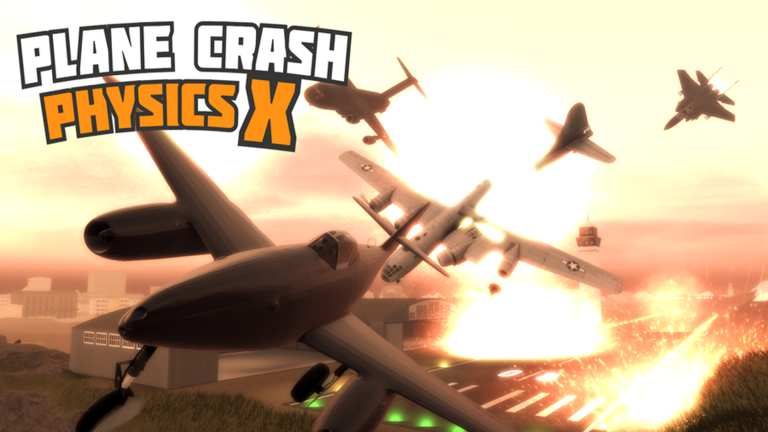
The fantasy that made Plane Crash Physics famous is not a perfect landing—it is a readable breakup. Wings peel, engines leave the pylons, the fuselage tumbles, and ragdoll bodies sell the cabin hit. This deep dive explains how to stage those moments across the original Roblox place, Physics 2, and Physics X, then how to film them before you mash respawn. Pair it with How to Crash for impact recipes and How to Fly so every wreck starts from controlled energy.
What “ragdoll crash system” means here
In this series, ragdoll talk usually covers two layers players notice:
- Airframe breakup — structural pieces separating (wings, engines, tail, fuselage sections).
- Character ragdoll — passenger or pilot flail when the cabin takes a hard impulse.
Physics X especially markets upgraded ragdoll physics and plane crash system work. Physics 2 still shows expressive wrecks with more vehicle classes. The original established the chaotic baseline that creators still film. Track sequel emphasis on Series History and re-test after patches on the Updates Hub.
Anatomy of a satisfying breakup
Aim for wrecks that show at least three of these:
- Wing separation — one or both wings leave cleanly enough to track on camera.
- Engine tear-off — pods or nacelles tumble on their own paths.
- Fuselage motion — skid, cartwheel, or bounce instead of an instant freeze.
- Cabin impulse — ragdoll motion visible if the airframe has a readable interior scale.
- Secondary motion — debris still moving a second after the first hit.
If you only get a single crumpled blob, change angle, speed, or airframe using the Best Crash Planes list and Airliners vs Fighters comparison.
Energy, angle, and surface
Breakup quality is mostly setup:
- Energy — too soft and nothing shears; too vertical and you get a punch without a slide. Medium-high energy with leftover forward speed often films best.
- Angle — wing-first cartwheels create asymmetric tear-off; belly slams emphasize scrape and engine shear; nose-ins punch hard but can bury the story.
- Surface — flat runways sell slides; hills add tumble; water sells ditches; Physics X terminals add prop reactions. See Maps and Airports.
Practice the same airliner ten times before you blame the physics. Consistency teaches you what the sequel actually rewards.
Wing and engine separation drills
Drill A — belly scrape
Shallow dive, wings level, moderate throttle. Watch whether engines leave before or after the belly stalls. Orbit immediately.
Drill B — wing-strike cartwheel
Add roll in the last second so one wing hits first. Track the opposite wing and the fuselage path separately.
Drill C — structure strike (X)
Fly a fake stable airport final, then clip a terminal corner. Hard props exaggerate tear-off. Details in the Physics X guide.
Drill D — variety vehicles (2)
On Physics 2, compare a helicopter hover-drop and a blimp pancake against your airliner baseline. Different mass fantasies teach different ragdoll timing—see the Physics 2 guide.
Cabin ragdoll reads
To show passenger-style flail:
- Prefer larger airliners over tiny fighters when cabin scale matters.
- Hit hard enough to register an impulse, then do not respawn for a few seconds.
- Push the camera toward windows or open breaks in the fuselage.
- On denser X maps, wait for secondary collapses before you call the take done.
Tiny jets can still cartwheel beautifully; they simply show less “cabin story.” Choose based on the clip you want.
Camera workflow after impact
Great physics looks average with bad cameras. Use this five-step orbit every time:
- Freeze the respawn reflex.
- Wide orbit once around the main fuselage.
- Push in on a separated engine or wing tip.
- Sweep past any ragdoll motion you can find.
- Pull out for a final establishing wreck shot, then respawn.
PC usually wins for freecam-style framing; mobile players should pre-aim a wider third-person view before impact using tips from Controls.
Sequel differences that affect breakup
- Original — chaotic baseline; your wreck is often the hero against simpler scenery.
- Physics 2 — more vehicle classes change mass and fall timing; helicopters and blimps rewrite the comedy beat.
- Physics X — airports and upgraded ragdoll/crash presentation reward staged approaches and structure hits.
Do not assume a recipe that cartwheels on X will look identical on the 2022 original. Re-verify after studio changes.
Common failure modes
- Respawning instantly — you miss the entire ragdoll beat.
- Edge-on camera — debris silhouette disappears.
- Wrong airframe for the story — fighters for cabin flail, blimps for high-energy wing shear.
- Foggy or dark map — contrast dies; switch sessions or maps.
- Blaming codes or scripts — promo Codes and community Scripts do not replace angle and energy skill.
Practice ladder
- Ten belly scrapes in one airliner; note engine behavior.
- Ten wing-strike cartwheels; keep only the three clearest.
- Five airport structure hits on X.
- Five helicopter or blimp takes on 2 for timing contrast.
- Build a personal “best breakup” shortlist and re-test it after updates.
Related reading
- Getting Started — sequel picker.
- Aircraft Roster — which frames show separation.
- Tier List Hub — spectacle rankings.
- Wiki Index — full page map.
Stage the hit, watch the pieces, then iterate. Ragdoll and breakup literacy is the skill that separates random crashes from clip-worthy wrecks.
Frequently Asked Questions
Quick answers for pilots, crash testers, and new players.
Which sequel has the best ragdoll crash physics?
Physics X is marketed with upgraded ragdoll and crash systems. The original and Physics 2 still produce great wrecks—re-test your recipe on each place.
How do I make wings and engines separate more cleanly?
Increase controlled impact energy, try a wing-first cartwheel, and pick airframes known for readable breakup on the best-crash-planes list.
Should I respawn right after the crash?
No. Orbit the fuselage, push in on separated parts, and watch ragdoll motion for a few seconds first.
Are fighters bad for ragdoll clips?
They are great for high-energy cartwheels but show less cabin-scale flail than widebody airliners. Pick based on the story you want.
Do scripts improve breakup physics?
No. Spawn tools may change which plane you get; they do not replace impact angle, energy, and camera skill.